Designing Multimodal Experiences in 2026: Voice, Chat, Camera, and Screen Together

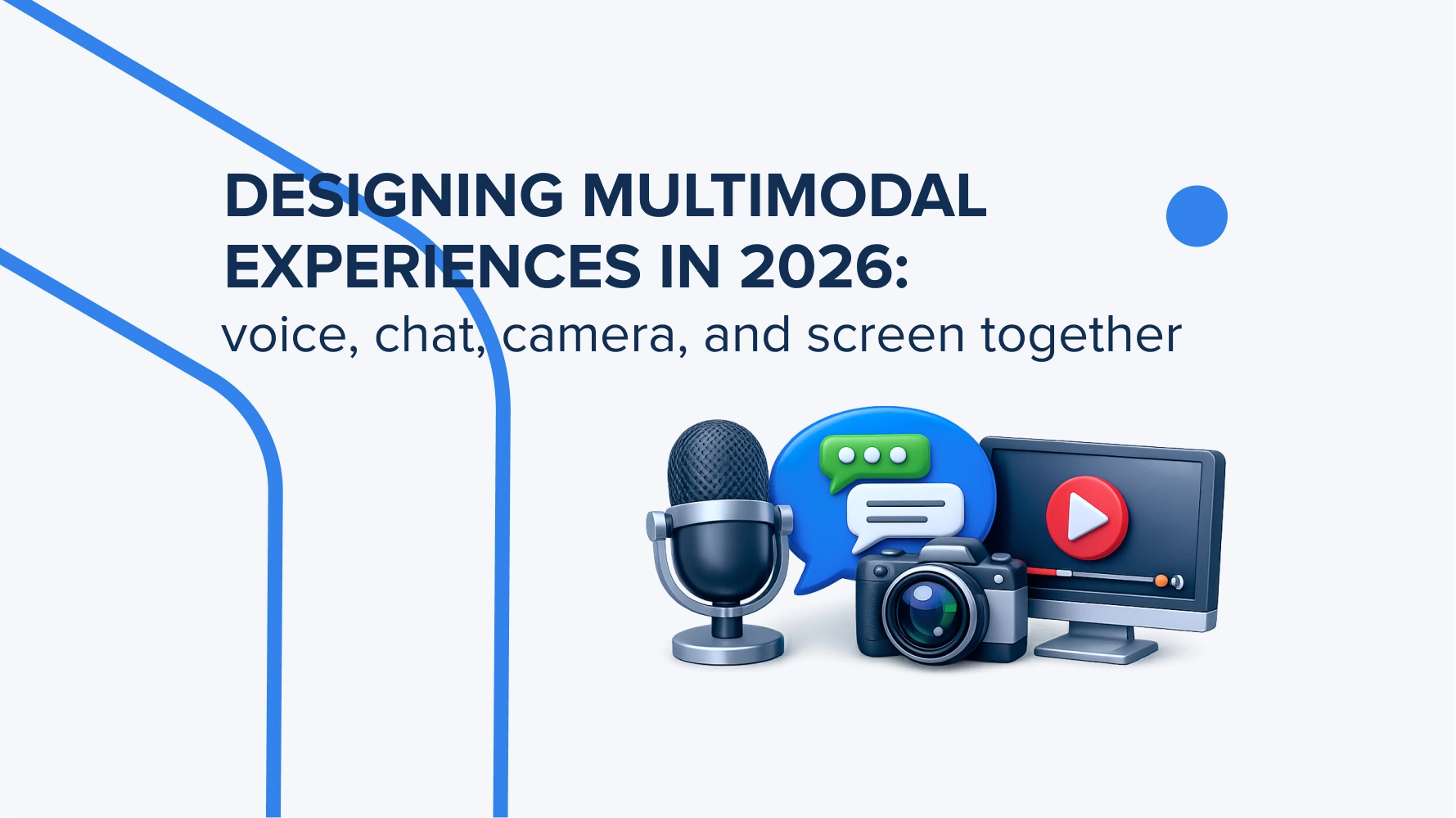
A multimodal experience combines several ways of interacting with a digital product, such as voice, chat, camera, touch, and screen. In 2026, AI-powered products use multimodal UX to understand user intent faster, reduce manual input, provide visual confirmation, and support more natural workflows across web and mobile apps. Dive deeper into this!
What is a multimodal experience in 2026?
A multimodal experience in 2026 is a brand-new digital experience when users interact with apps or websites through different input and response methods. Based on the products we have on the market today, there are ways we input text, send voice commands, use gestures, and use AI assistants in chats or for searching.
The conceptual foundation of multimodal systems comes from the W3C Multimodal Interaction Framework:
“The multimodal interaction framework is not an architecture. The multimodal interaction framework is a level of abstraction above an architecture. An architecture indicates how components are allocated to hardware devices and the communication system enabling the hardware devices to communicate with each other. “
But for now, in 2026, multimodal experiences had evolved significantly into AI-driven ecosystems that combine text, voice, camera, video, spatial interaction, and context-aware AI.
Let’s break down every component of multimodal AI apps or websites we know and use.
Screen-based UI is a basic design part, the first thing the user sees and interacts with. There are buttons, menus, screens, forms, etc. So, the whole interaction logic is built around a graphic interface when we click on something or scroll through an app or website between pages. The core concept is saved every time designers create it, but the difference lies in branding style, info blocks placement, and visuals that should be used as the business specifics require this.
Conversational UI means the ways we communicate with the platform we use right now – via text or gestures. This design part has been changed seriously as we prefer to talk with the product more instead of finding something by ourselves. We use chatbots and AI assistants that understand the context of the text we input and generate accurate results in seconds.
Voice UI makes a huge step forward in digital interactions. The voice commands are what we use more commonly because it’s fast, we can use this option on the go, without the need to type the text. But it can be tricky in some cases. For example, if you are in a crowded or noisy place, the AI model can use the voices behind you as a search command too.
A camera-first interface is the next step in using camera features within the apps. It can be used for video conversations, taking a photo of documents or things that we can search for later online. AR, spatial computing, retail AI, health tech, and automotive UX are all actively moving toward a camera-first approach.
The fully multimodal AI experience in 2026 is not something just one from the list above anymore. It’s a combination of all these components that users can easily use on a daily basis. And what’s more, they EXPECTED to have an experience with a digital product where they can talk with AI, use chat, give commands with voice, and more.
The interface is no longer the centre of the product – the user’s intent is. AI now decides the best way to interact based on the context.

Why are voice, chat, camera, and screen merging into one UX?
These components are a part of multimodal UX that shape the navigation logic of every other digital product in 2026. This was dictated by the high demand from users who want to see more personalised and deeper experiences when they are shopping online or looking for a film to watch. Everything is built around what the user wants and how fast they can get it done.
The main reason for this trend and why businesses transform their product with the use of voice, camera, chats, and screen as a complex is the evolution of multimodal AI models. New-gen AI systems are capable of working simultaneously with input text, voice commands, pictures, videos, and their context. The brighter representative for these tasks is a GPT-4o model that makes human-computer interaction feel much more natural.
Here’s what OpenAI officially says about it:
“GPT-4o model accepts as input any combination of text, audio, image, and video and generates any combination of text, audio, and image outputs.“
The next, no less important reason is the rise of AI assistants. Modern users leverage them as a guide that understands context on its own and makes it easy for users to complete any action. For the same reason, voice commands and camera are also becoming a vital part of multimodal UX. Voice cuts down the need for typing and speeds things up when manual input is slow or inconvenient. And the camera gives AI instant real-world context, whether it’s documents, objects, products, the environment, or anything that needs to be analysed.
The screen is still a key part of the experience. Even with voice-first and camera-first interactions, people still need visual confirmation, control, and clarity on what the system is doing. It’s where users see AI results, check data, make edits, and finalise decisions.
But what’s on top of the multimodal approach wave is that present-day mobile devices are already equipped with everything for multimodal interaction. They have cameras, microphones, AI-chipsets, and sensor displays. So basically, the tech behind multimodal experiences is already in users’ hands, so products are slowly shifting from single interfaces to a unified AI layer.

How does multimodal AI change UX/UI design?
Long story short – multimodal AI changed the UX/UI design we know completely. The designer doesn’t create screens anymore. It works deeper – with interaction systems, where the UI adapts instantly to user intent, context, and interaction style.
If the previous approach stood on creating a step-by-step journey when designers create screens that follow after the user clicks, or when they browse pages, today it has changed the design direction. Today, to create a design must consider the intentions users have when they click on the button or other clickable elements. Literally, UX for AI products has to account for people speaking, pointing, clarifying, and expecting different results depending on the situation. That’s the core shift we see today.
Here’s what designers put at the centre of the AI interface design work, creating a multimodal AI experience:
- User intent as the core of the system. Instead of navigating screens, everything starts with understanding what the user actually wants. A user might say, “Find this item among this category,” point the camera at something, and answer questions in chat for ordering. These steps are one flow, not separate features.
- Input mode as a dynamic choice. UX is no longer tied to one way of interacting, like voice, chat, camera, or touch. They all work as interchangeable channels. The system just picks the best option for the situation. And the designer must understand this and create different mockups with a wider set of scenarios.
- Context as the foundation of decisions. Things like location, device, previous actions, and conversation history all matter. Without context, multimodal AI can’t really understand what the user is asking. It’s still a machine that needs detailed data to process and generates the answer.
- Fallback scenarios as a mandatory design layer. Since AI won’t always be 100% confident, UX needs clear fallback flows. Like asking for clarification, offering alternatives, or switching to a more controlled mode. It’s also extra work from the design side.
- AI confidence as part of the interface. By 2026, users need to see how sure the system is, so they know when it can act automatically and when it needs confirmation.
- User correction as a normal scenario. It’s not about fixing mistakes. It’s just adjusting the result the AI provides. UX should make it easy to refine things through text, voice, or gestures.
- Privacy consent as an interactive layer. With cameras, microphones, and sensors always in play, users need clear control and transparency over what data is used and when. It may not seem very important to share photos of items you want to find and buy. But when it comes to personal financial data sharing, everything must be in a safe.
- Confirmation screens as a checkpoint. Even with AI automation, you still need checkpoints for things that actually matter, like payments, deletions, or major changes.
- Accessibility as a baseline scenario. Multimodal UX naturally supports it – if one input method doesn’t work, the system just switches to another.
To summarise, UX for AI products goes beyond clicks and also includes what users say, show, clarify, and expect to see on the screen.
When should designers use voice instead of touch?
Voice user interface design doesn’t fully replace touch interactions. It works like a context tool that users leverage when it’s relevant to them. For instance, when there is a need to find information on the weather forecast, but you hurry to the underground station and don’t have a second to stop and type the input into Google. Instead, you just tell what you want to find with voice and get the result in just a second. It’s a hands-free interaction that simplifies searching depending on the situation.
Here are more scenarios when voice beats the touch interactions (and when designers include it in the design process).
- Hands-free usage as the default scenario. Voice works best when hands are busy. It reduces cognitive load and lets users get things done while cooking, fixing something, or just relaxing.
- Driving and road safety. In the car, voice interaction becomes essential. It enables navigation, calls, and messaging without taking eyes off the road. Touch interaction here simply isn’t safe.
- Fitness and active scenarios. During workouts, users don’t want to get distracted. Voice makes it easy to control timers, tracking, or music without breaking movement.
- Warehouse and logistics. In such specific workloads, people often wear gloves or carry goods. Voice helps confirm actions, scan items, and update statuses hands-free.
- Healthcare. Doctors can get data without interrupting procedures or breaking sterile conditions.
- Quick commands and micro-actions. Voice works great for short tasks like “take a note,” “find a contact,” or “set a timer.” It’s often even faster than navigating an interface.
- Smart home and IoT. In smart homes, the voice assistant interface feels natural for controlling lights, temperature, and devices, especially when moving around.
Nevertheless, having so many advantages over touch interactions, the voice commands still have some limits:
- In noisy environments like offices or streets, speech recognition can become inaccurate.
- Different accents, speaking speeds, and pronunciation patterns can affect recognition quality.
- Voice commands aren’t always suitable in public spaces due to privacy and information leakage risks.
- Voice also struggles when users need to compare multiple options at once, like designs, products, or data on a screen.

When should chat be the main interaction layer?
The chat is still relevant for use, especially in cases when the action is not the purpose, but getting the answer or a short instruction. It’s a vital element of a conversational AI design. In simple words, a design where the whole interface is built around the chat, not the navigation or other actions.
At the same time, big companies try to improve chat options, giving them more flexibility in providing answers not only with text but with the use of visuals and voice. For example, Google announced Gemini 2.0 recently:
“A chat that is treated as an interface for agentic multimodal AI that supports working with images, audio, content generation, and tools. This shifts chat from simple text-based dialogue into a universal control layer for complex actions and interactions across different types of data.“
Talking about scenarios where chats are required more, we highlight the following ones:
- For users’ support. It’s the most effective tool to support users, where they can quickly explain the problem, ask a question, or get help with the issue (whatever it is).
- Help with onboarding. Instead of reading longreads shits, a quick chat or live tips along the mobile app or website can explain how to use it and adapt its use specifically to the user.
- For product search. When filters seem like a long road to the needed item, a quick ask-answer session with a chat is a better option to find what you need faster.
- For recommendations. Chat goes beyond just listing recommendations and explaining why a specific option makes sense for that user.
- Explanation of complex actions. When there are complex things that arise during the use of an app or a web platform, chat can quickly explain why they happen and how to follow confusing instructions.
- B2B dashboards and CRM assistants. In complex business systems, chat acts like an interface to data. Instead of clicking through dashboards, a user can just ask something like, “Show me the customers whose activity has dropped over the past month.”
And a few words about the connection between chatbot interface and conversational AI design. Chat, as an interaction layer, becomes the foundation of conversational AI design. In this logic, UX isn’t built around just screens, but around a conversational system with intent, context, and memory.
When should the camera become part of the user experience?
A camera is the fastest way to add visual context for search or its use within the mobile app or a web platform. But more often for mobile apps, as it’s more convenient to take a photo right away and share it with the app if it requires it. The camera also becomes a basic input layer for AI-driven interactions.
So, the question is, where does the camera bring the most value to the user experience? In these cases.

At the same time, camera-based experiences need a much stronger focus on privacy and trust. Since the camera interacts with the user’s real-world environment, the UX should clearly explain the things that improve transparency. Like, when the camera is actually active, what data is being stored in the app, and how long it’s kept there.
Why is the screen still critical in multimodal UX?
The screen is a central point of trust and control inside the AI-driven interaction system. We know that voice options, camera interactions, and conversational AI continue pushing forward, but the screen is still the central part of everything – a confirmation layer. Even if you don’t need it to type a question, the screen is still what gives you visual confirmation, transparency, and control over the result.
To sum this up, here is what the screen provides you with:
- Showing results.
- Explaining AI decisions.
- Previewing actions.
- Confirming payments or bookings.
- Editing recognised text.
- Displaying visual hierarchy.
- Reducing ambiguity.
- Accessibility support.
How should voice, chat, camera, and screen work together?
The whole thing is to build these components around the user journey’s logic. So, the designers’ aim in 2026 is not to focus on adding everything for every user action. Instead, it’s better (and smarter from the business perspective) to evaluate first what interaction mode works best for every separate use case scenario. Only after this, the design process can be kicked off.
A good multimodal experience feels seamless – voice, chat, camera, and screen all work together naturally instead of competing with each other. And by the way, the best AI products in 2026 will build interaction flows where each modality is used only in the situations where it works best.
Here are the most common cases and the best input mode for each user scenario.
|
User Scenario |
Best Primary Modality | Supporting Modality | Why It Works |
UX Risk |
| Searching for product information | Chat | Screen + Camera | Chat helps express intent naturally, while screen and camera support visual search and comparison. | Ambiguous queries or irrelevant AI recommendations. |
| Filling a long form | Chat | Screen | Conversational flow reduces friction and cognitive overload compared to static forms. | AI misunderstood structured input. |
| Getting customer support | Chat | Voice + Screen | Chat manages step-by-step troubleshooting, voice speeds communication, and screen displays solutions. | Context may be lost between interactions. |
| Navigating a dashboard | Screen | Chat | Screen provides hierarchy and data visualisation, and chat simplifies search and commands. | Information overload or inaccurate AI summaries. |
| Learning a new feature | Chat | Screen + Voice | Conversational guidance improves onboarding while the screen demonstrates actions visually. | Excessive guidance may interrupt the workflow. |
| Confirming a payment | Screen | Voice | Screen ensures visual confirmation and transparency before critical actions. | Accidental confirmations or security concerns. |
| Uploading documents | Camera | Screen + Chat | Camera simplifies scanning, screen previews extracted data, and chat clarifies missing information. | OCR errors or privacy concerns. |
| Field service inspection | Camera | Voice + Chat | Camera captures environment context, voice speeds reporting, chat structures inspection workflow. | Connectivity issues or incomplete visual capture. |
What are the main UX risks in multimodal AI products?
Multimodal AI significantly expands UX possibilities, but also introduces new risks by processing text, voice, images, and context all at once. This makes it harder for users to predict and control how the system behaves. Or, on the other side, it may be confusing for them to adapt to multimodal mode specifics and understand for what scenario what modality support goes.
There are common UX risks that may arise with possible UX prevention ways.
|
Risk |
Example | Business Impact |
UX Prevention Method |
| Cognitive overload | User interacts with voice + chat + screen simultaneously and loses context. | Lower task completion rate, frustration, drop-off. | Clear hierarchy of primary modality + progressive disclosure of information. |
| Wrong voice recognition | AI misinterprets “send payment” as “cancel payment.” | Critical errors, loss of trust, and financial risk. | Confirmation step for high-risk actions + visual recap on screen. |
| Wrong visual recognition | The camera misidentifies a damaged product or object. | Incorrect decisions, support disputes, and operational costs. | Human-in-the-loop verification + confidence indicators + manual override. |
| Lack of user consent | Camera/microphone activated without clear notice. | Legal risks, privacy violations, trust breakdown. | Explicit consent flows + visible indicators of active sensors. |
| AI hallucination | AI generates incorrect troubleshooting steps or product info. | Wrong decisions, brand credibility damage. | Source attribution, verification layers, and “AI may be wrong” transparency cues. |
| Accessibility gap | Voice-only flow not usable in noisy or silent environments. | Exclusion of users, reduced adoption. | Multi-input parity (voice, touch, text alternatives). |
| Unclear confirmation | User is not sure if the action (booking/payment) was completed. | Support tickets, trust issues. | Clear confirmation screens + audit trail of actions. |
| Privacy concerns | Continuous camera analysis in the background. | User distrust, app deletion, and regulatory risk. | Data minimisation, on-device processing, transparent retention policies. |
According to the Stack Overflow Developer Survey 2025:
“84% of developers & designers are already using or planning to use AI tools, but 46% still don’t fully trust the accuracy of AI output. This highlights how important human review, verification, and transparent UX are in multimodal products.”
How can teams design trust into multimodal interfaces?
Trust doesn’t just appear out of nowhere. It gradually shows up with the well-thought-out design support. Basically, trust must be a part of the UX system and give clarity during the navigation process from the first seconds. Since users interact with AI via a few channels at the same time, any unclearness lowers the trust down.
These little but important tweeks rise the trust up confidently.

What architecture is needed for multimodal experiences?
For a multimodal experience, a proper architecture is needed that works with different data types at the same time. Like, text, voice, pictures, and videos. Then, it must connect them into one AI ecosystem where they should understand the context of the user inputs and actions.
At the very basic level, the multimodal experience architecture contains separate modules for processing each modality (speech recognition, computer vision, text embeddings). They transform input data into a clear and understandable message, shared in representational space. These messages are then combined in the fusion layer, where a central orchestration system figures out the user’s intent, keeps the dialogue going, and handles the interaction logic.
Also important is the context and memory layer, which keeps the interaction history. And the API/tools layer, which connects to stuff like databases, services, and search.
Here are the core architecture components and their role in the product’s performance:
|
Component |
Role in the Product | Example Technology |
UX Impact |
| Voice recognition | Converts spoken input into structured text or commands. | Speech-to-Text models (e.g., Whisper-like systems). | Enables hands-free interaction and faster input in real-time scenarios. |
| Natural language understanding | Interprets user intent from text or voice. | LLMs, intent classification models. | Reduces friction by understanding the meaning instead of exact commands. |
| Vision/image recognition | Processes visual input from the camera or images. | Computer Vision models. | Enables object detection, scanning, AR experiences, and real-world context input. |
| Chat orchestration | Coordinates conversational flow across modalities. | Conversational AI frameworks, LLM agents. | Keeps interaction coherent across chat, voice, and camera inputs. |
| Context manager | Maintains session state, memory, and user history. | Context stores, vector databases. | Ensures continuity and personalization across multimodal interactions. |
| Screen UI | Visual layer for confirmation, control, and explanation. | Web/mobile UI frameworks (React, SwiftUI, etc.). | Provides clarity, structure, and trust through visual feedback. |
| Backend APIs | Executes business logic and connects services. | REST/GraphQL APIs, microservices. | Powers real actions like payments, bookings, and data retrieval. |
| Analytics | Tracks behavior, performance, and model usage. | Product analytics tools, event tracking systems. | Helps optimize UX flows and detect friction in multimodal journeys. |
| Privacy and consent layer | Manages data permissions and user control over inputs. | Consent management platforms, OS-level permissions. | Builds trust by ensuring transparent use of voice, camera, and data. |

How can businesses start designing multimodal experiences in 2026?
Here’s a practical 2026-ready framework for designing UI/UX multimodal experiences in business products:
- Start by mapping the full user journey end-to-end. Don’t think in features and focus on what users are actually trying to get done step by step.
- Look for high-friction moments. Simply put, places where users slow down, make mistakes, drop off, or have to do extra work. Like long typing, searching, uploading files, or switching contexts.
- Next, match the most natural input mode to each step. Text for precision, voice for speed, camera for real-world input, and chat for guidance or unclear cases.
- After that, prototype each modality separately first. Keep voice, chat, and camera flows simple so you can test them without extra complexity.
- Only then start combining them, and only where it clearly reduces effort or cognitive load. If it doesn’t make things simpler, it’s just noise.
- At this point, bring privacy and permissions into the design early, especially for camera and voice. Users should always understand what’s being captured, stored, and used.
- Finally, test everything with real users in real situations. Track task completion, errors, fallback behaviour (like switching from voice to text), and retention.
“Multimodal UX is not about adding voice, chat, and camera everywhere. It is about choosing the right interaction mode for the right moment, then giving users enough control, context, and confidence to complete the task safely.”
(Tania Buian, Head of Design Department at TRIARE)
Conclusion
Multimodal UX design in 2026 goes beyond using every channel separately. It’s about smartly combining voice, chat, camera, and screen, where each one actually reduces friction and makes the journey simpler. Its real value is in cutting user effort by smoothly switching between modalities in one seamless experience.
Planning to build an AI-powered web or mobile product with voice, chat, camera, or screen-based interactions? TRIARE experts can help you design the user journey, prototype the interface, build the architecture, and launch a scalable multimodal experience. Just contact us!