How AI Is Changing Mobile App Development in 2026?
Learn how AI shaped the mobile app development and how teams leverage new tools and approaches to create conversion-driven business tools.
What is AI mobile app development in 2026?
AI mobile app development in 2026 is a widely used approach, where AI becomes a core tool that teams use during the whole mobile app development process. It has already overcome its status as a built-in feature and has more strategic meaning for businesses in the present time.
AI supports the development process at every stage – it helps analyse the needs of future users, create initial design concepts, generate code, and automatically check it for mistakes. In a wider meaning, development teams use it for:
- product discovery,
- UX/UI design,
- code generation,
- test automation,
- user experience personalisation,
- voice and chat interfaces,
- computer vision,
- predictive analytics,
- recommendation systems,
- on-device AI,
- cloud-based AI services.
The new age of the AI app development process requires the use of AI at the essential development stages. It looks something like this:
- Continuous discovery
- Data collection (market + user + behavior signals)
- Hypothesis generation with AI
- Product definition & prioritisation
- UX/UI design & prototyping
- AI-assisted development
- Testing & automated QA
- Deployment
- Real-user data collection
- AI/ML analysis
- Continuous optimization & personalization
- Back to the discovery loop.
Once the product is live, AI becomes part of the experience, analysing user behaviour, personalising interactions, and helping the system make smarter decisions based on data.
Having access to AI features isn’t what sets companies apart anymore. What matters more is how effectively they use it to improve processes without sacrificing quality, security, or the customer experience. That’s a hot topic in product and tech leadership circles right now.
Why is AI becoming a core part of mobile app development?
Because AI completely shifts the way teams build mobile apps today and, at the same time, meet users’ expectations.
First, basic interfaces do not impress users anymore. They want to see apps that give them total personalisation, adapt to their preferences, behaviour, and interests. That’s where AI moves outdated approaches and improves user experience, giving them what they want.
Then, modern smartphones already have all the hardware for smart experiences – camera, microphone, GPS, biometrics, and sensors. AI is the layer that turns all that data into useful actions: recognition, voice control, recommendations, and context-based prompts.
The next reason is that AI becomes more accessible thanks to API and ready-made models. Instead of long development from scratch, teams take prepared AI features and implement them into mobile apps.
AI also speeds up the development as it supports the team while writing code, running tests, creating documentation, and is many more. This way, businesses can go to market faster with a new product and cut operational costs. Mobile app development tools, like AI Studio, can now generate Android apps from natural language prompts. It was introduced by Google in 2026, the ability to build native Android apps in AI Studio just by using prompts, with an emulator and direct deployment to real devices. It’s a strong signal of where things are going – AI is significantly lowering the barrier to entry in mobile development.
And the very core part – the competition in the App Store. A functional app is no longer enough. It needs to be smart, responsive, and deliver a better experience than the competition. This is what differentiates a really good app from others on the App Store platform and what AI can deliver.
How does AI speed up mobile app development?
AI speeds up custom mobile app development by automating routine tasks and making every development process shorter. Here’s how everything goes at every step:
- Creating user stories. AI is quickly turning ideas into structured requirements and use cases. It’s because it faster analyses tons of data and generates accurate recommendations.
- Generating UI components. Artificial intelligence can build screens, layouts, and interface variations for prototypes of any complexity.
- Writing boilerplate code. AI takes repetitive parts like navigation, basic screens, and template logic. Of course, teams check it then, but at the start, it helps things move faster and create basic journeys.
- Generating API clients. AI connects the app to backend services faster.
- Creating tests. AI runs auto-generating unit tests and covers edge cases that also save the team’s time.
- Writing documentation. This is the more routine task among the others, so here AI produces technical descriptions and code explanations automatically to use them later.
- Debugging. AI tools spot errors and suggest fixes.
- Refactoring. In this product part, AI improves code structure and reduces technical debt.
- Creating analytics events. With AI, its mush faster to set up user behaviour tracking and get reports.
- Localization generation. AI quickly prepares translations for different markets and languages to meet different audiences’ local language and cultural nuances.

How is AI changing mobile UX/UI design?
The biggest shift AI brought into UX/UI design is towards multimodal engagement and personalised interfaces that every mobile app should have.
According to UX Research conducted in 2026:
“78% of users now expect apps to adapt to their behaviour, and companies that implement personalisation see around a 30% increase in user engagement. On top of that, up to 40% of search queries are now voice-based, which is fundamentally changing how UX is designed.”
Here’s what exactly changed when AI comes into the design process.
Conversion-focused interfaces (chat-first UX)
UX is shifting from traditional navigation to conversation as users increasingly “talk” to apps instead of clicking through menus. They prioritise the fastest way to find something instead of looking through the app by themselves.
Voice-first interaction
Voice is becoming a primary input method for searching, ordering, and controlling features without tapping through UI. It’s a handy feature for on-the-go people, and sure, it touches the design we have today in smartphones.
Multimodal UX (voice + chat + screen + camera)
There’s no longer a single interface in mobile apps. The system chooses the most natural channel depending on context – speak, show, or recognize via camera. And the design side is also adapted to these renewals.
Camera as an interface
Instead of buttons, users simply point their camera to trigger actions like object recognition, translation, search, or even purchases. Thus, it performs even more tasks than just taking photos, and the design should highlight these features so users can quickly figure out how to use the camera feature in the app.
Predictive UX (action prediction)
Interfaces are moving toward anticipating intent, suggesting the next best action based on user behaviour. Since different users follow different paths, the design needs to support these scenarios and adapt to what each user is likely to do next.
Personalised screens and content
UI adapts dynamically to the user: layout, content blocks, and even available features can change depending on context. There are lots of cases that smart design must consider and provide every user with a personalised experience.
Smarter notifications
Notifications are becoming more context-aware. They are optimised now for timing and likelihood of response, reducing noise and improving relevance.
Dynamic UI (generative interfaces)
Screens are no longer static as well. They can reconfigure themselves based on user context, behaviour, and usage patterns.
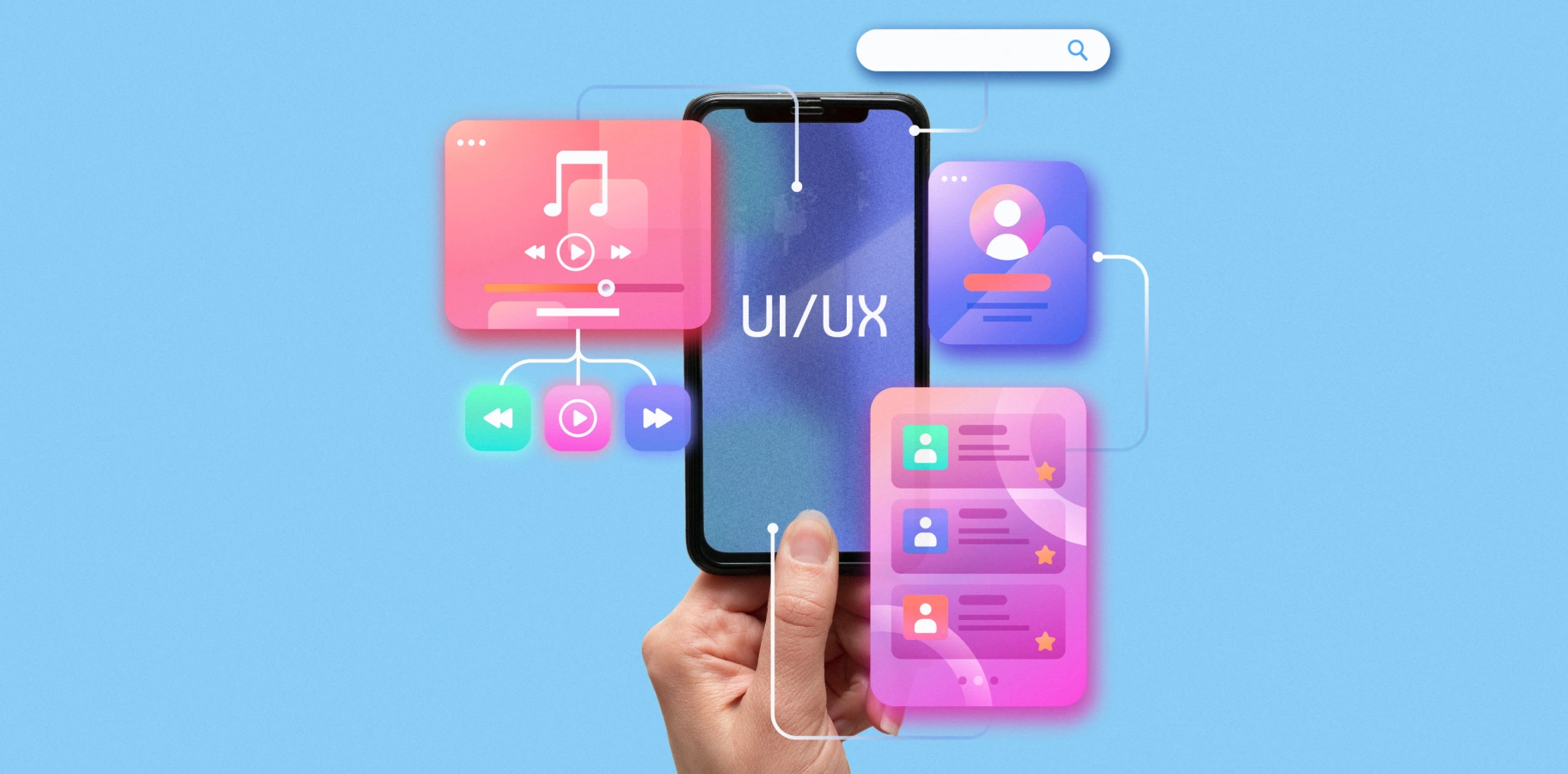
To summarise everything above, UX/UI design turns into an adaptive engagement system, where AI helps apps recognise user intent and context, personalise interactions, and adapt the interface in real time based on user actions.
How is on-device AI changing iOS and Android apps?
On-device AI is transforming iOS and Android apps by making AI features faster, more private, and available offline, without constantly relying on the cloud. Instead of sending data to a server, models run directly on the smartphone via the NPU/CPU/GPU. That’s why it’s assumed to be a key trend in mobile development in 2026.
The reason is obvious, users want to get instant reactions on their actions and a more convenient way using AI features, even when there is no stable internet connection in their area. The data security factor is the second reason why on-device AI is a more preferable choice for artificial intelligence app development. This is why mobile chip and OS makers are increasingly investing in on-device AI model deployment.
The study “Mobile Foundation Model as Firmware” confirms on-device AI viability and describes smartphones as a new environment for running deep learning models locally. The authors note that:
“…on-device foundation models can support a wide range of tasks, including computer vision (CV), NLP, audio processing, sensor integration, and multimodal scenarios, while also reducing fragmentation across individual AI solutions.”
To understand more about the core differences between cloud AI and on-device AI, check this short description table.
| Cloud AI | On-device AI |
| Higher computing power is required | Lower latency |
| Easier execution of large models | Better data privacy |
| Requires data transfer to a server | Data can stay on the device |
| Depends on an internet connection | Works offline or near-offline |
| Higher infrastructure costs | Limited by smartphone hardware resources |
Here is where on-device AI is already making a difference within the mobile apps:
- Offline translation for text and speech.
- Intelligent keyboard predictions and autocomplete.
- Real-time object and image recognition.
- Voice command support.
- AI-powered text summarization.
- Personal AI assistants on-device.
- Fraud detection in fintech apps.
- Secure healthcare and sensitive data processing features.
- Accessibility support for users with disabilities.
For businesses, these changes mean faster app reaction as data processing goes right on the device, without any latencies. From the expenses part, they spend less on the cloud architecture as some of the processing is shifted from servers to smartphones. Data security and privacy are enhanced as well, since data isn’t always sent to the cloud. And finally, apps become more reliable and useful when the internet connection is weak or unavailable.

What AI features are businesses adding to mobile apps?
Businesses start adding AI features in mobile apps to automate routine processes, personalize user experience, and accordingly boost conversions. The most popular ones are those that help users make decisions faster, find what they need, and take a target action without extra steps.
Here are the common AI features for mobile app businesses to bet on in 2026:
- AI chatbots to support users, answering questions, and handling routine tasks.
- AI voice assistants provide hands-free interaction through voice commands, which is especially handy on the go.
- AI search assists as a quick information finder, using natural language queries and user intent.
- Recommendation engines help generate personalized product lists, content, or service suggestions.
- Image recognition feature analyzes photos, objects, and visual content.
- Document scanning gives access to automatically extracting, processing, and organizing data from documents.
- Predictive analytics collects user behaviour, demand, and potential risks, and generates recommendations on how to adapt your strategies to this data.
- Fraud detection feature identifies suspicious activities and potentially fraudulent transactions to keep users’ data safe.
- AI onboarding assistants help new users get started and navigate the product.
- Personalized push notifications tailor messages based on user behaviour and preferences.
Here are more details on where businesses use specific AI features.
| AI feature | Business use case | Best for… | Complexity |
| AI chatbot | Customer support, onboarding | E-commerce, SaaS, Service apps | Medium |
| Voice assistant | Hands-free actions | Fitness, logistics, Healthcare | Medium – High |
| Smart search | Faster product/content discovery | Marketplaces, content apps | Medium |
| Recommendation engine | Personalization | E-commerce, Media, Education | Medium – High |
| Image recognition | Camera-based workflows | Retail, Healthcare, Logistics | High |
| Predictive analytics | Forecasting user behavior | SaaS, Finance | High |
| AI notifications | Personalized engagement | Consumer apps | Medium |
| Document scanning AI | Automation | Fintech, Insurance | High |
How is AI changing mobile app development for startups?
For startups, AI is one of the most powerful tools available today to test ideas and go to market with fewer expenses. Launching an MVP used to be a months-long process. Today, the same outcome can often be achieved in weeks or even days.
AI is especially helpful and effective for these product development stages:
- Building an MVP to validate demand without major upfront investment.
- Creating prototypes to test ideas internally.
- Developing clickable demos for investors and potential customers.
- Supporting startup pitches with a working product demo.
- Running early user testing and collecting feedback.
- Making quick improvements based on real user input.
- Building low-risk features before investing in complex functionality.
- Creating simple AI chatbots for customer support.
- Using AI-powered onboarding to improve first-time user experiences.
- Validating the product concept before committing to full-scale development.
That’s why AI app builders and AI coding tools have become so popular among startups and teams who build MVPs for them. They help validate ideas, shape a product that fits market needs, and accelerate the path to the first users.
Even though AI is a handy tool that supports MVP at specific development stages, there are always cases when the product itself overgrows AI builders. The main reason – scalability. As the user base and data volumes grow, and the app starts to scale, new requirements emerge, including:
- More complex business logic.
- Integrations with external platforms and services.
- Stronger security and data protection.
- A custom back-end.
- Better performance and scalability.
- Ongoing product support and future development.
This is where startups change their approach and go for custom mobile development to boost mobile app effectiveness. It’s important to remember that AI tools don’t replace full-scale mobile app development fully. It helps teams handle specific tasks, analyze data, and validate ideas early before scaling the solution.

What are the risks of using AI in mobile app development?
The most common risks when using AI as a prime development tool include the quality of AI-generated code. It may look correct at first glance, but it still may contain logical errors or less-than-optimal solutions. This can trigger a chain reaction and lead to a bigger issue – weak mobile app architecture, where fast code generation is prioritized over proper system design.
Another important concern is security and privacy. AI can unintentionally introduce vulnerabilities (for example, poor handling of tokens or user data) and increase the risk of data leaks, especially when cloud-based models are involved. There’s no full guarantee that AI can reliably ensure data safety without impacting overall product security.
AI can also confidently produce incorrect logic or recommendations. In mobile apps, this can easily lead to wrong user actions or even business-critical mistakes. This issue can be addressed by using more accurate prompts and involving the team more closely to validate AI outputs from the start.
From a product standpoint, risks also appear around app store compliance, unclear data consent, over-personalization, and even accessibility issues. This may arise when AI-driven changes affect the UI without considering different user needs. This also takes us to the conclusion that AI requires deeper management from the development team side.
A 2026 study on AI coding agents in open-source Android and iOS projects found that:
“AI-generated pull requests had an acceptance rate of 71% for Android and 63% for iOS. However, the strongest results were seen in routine tasks, while refactoring and architectural changes showed significantly lower quality outcomes.”
This reinforces an important point: AI performs well in repetitive, well-defined tasks, but struggles with complex system-level changes that require deep architectural understanding and a full view of the product.
Will AI replace mobile app developers?
No, AI won’t replace mobile app developers, but it will significantly reshape their role in the development process. Instead of focusing only on writing code, developers are becoming reviewers and owners of product quality as they check everything AI generates.
The developer’s focus shifted toward more complex areas such as system architecture, security, integrations, UX logic, and validating AI-generated code.
For junior developers, a key skill is understanding how to verify and correct AI output. Because everything can look correct, but still may contain hidden logical or architectural issues. For mid and senior engineers, the responsibility becomes even more critical, as they ensure production quality, scalability, and system stability in environments where parts of the code are AI-generated.
A 2025 METR study (a randomized controlled trial with experienced open-source developers) adds an interesting nuance:
“…in complex, mature projects, the use of AI tools actually increased task completion time by around 19%, rather than speeding it up.”
In other words, in real-world systems, AI doesn’t always deliver productivity gains. It often shifts the effort toward review, debugging, and integration.
At the same time, other research shows a different effect in simpler tasks: AI can significantly accelerate development when the scope is well-defined and the architecture is not overly complex.

How should teams choose between AI app builders and custom AI mobile development?
The choice between AI app builders and custom mobile development depends on where your product is right now – whether you are researching ideas or proceeding with development to give your idea shape. There are cases when custom development is better to postpone and start with MVP development using AI builders to test the app’s viability first.
In 2026, teams proceed with various development scenarios with the use of different platforms and tools. All of them offer different features and capabilities, so the choice comes down to what the business wants to get.
AI app builders are more often the go-to choice for startups. These platforms let them create a basic app using prompts or pre-built templates, making it easy to validate an idea, showcase it to investors, or attract their first users. For launching an MVP or building a quick demo, they’re often more than enough. However, this solution has limits in customization, scalability, and integration of complex business logic.
Another option is no-code or low-code platforms. With them, you can create more workable products for the idea’s early testing without involving a full development team. But there may be some issues, as such solutions often limit long-term growth due to scalability, integration, and performance constraints.
Low-code platforms stand between no-code tools and traditional development. They can significantly speed up product creation, but teams still remain dependent on the platform’s capabilities and limitations.
For products that require maximum performance, flexibility, and control, custom native development remains the preferred choice. Even though it requires more time and resources, it’s better suited for complex apps with high demands for security, user experience, scalability, and long-term growth.
Cross-platform development makes it possible to create one mobile app that runs on two OS simultaneously – iOS and Android. This approach saves development time and expenses. It’s a popular middle ground between speed and flexibility, although certain advanced AI features may work more efficiently in native apps.
Lots of companies go for AI features and choose the development with AI API integration. It’s the easiest way to integrate chatbots, smart search, or dynamic recommendations using ready-made models from third-party providers. The biggest limitations are reliance on third-party providers and continuous usage costs.
The most complex but most effective approach is custom ML or on-device AI implementation. Within this approach, AI runs on custom models or directly on the smartphone, giving companies full control over performance, privacy, and user experience. Be ready for higher development costs as this development option requires specialized expertise.
There is a quick explanation on how AI app builders and custom AI mobile development differ from each other.
| Criteria | AI App Builder | Custom AI Mobile Development |
| Speed | Very fast for simple apps | Slower but more controlled |
| Cost | Lower initial cost | Higher upfront investment |
| Flexibility | Limited | High |
| Scalability | Limited | Designed for growth |
| UX customization | Basic | Fully custom |
| Backend logic | Limited | Advanced |
| AI integrations | Template-based | Custom AI workflows |
| Security | Platform-dependent | Controlled by architecture |
| Best for… | Prototype, simple MVP | Complex product, SaaS, E-commerce, Healthcare, Fintech |
In real-world scenarios, teams choose AI app builders when the prime goal is to quickly create an MVP, test an idea, or launch a simple product at minimal cost. However, if the app requires scalability, complex business logic, integrations, a high level of security, or custom AI features, custom AI mobile development is the better choice.

What architecture do AI-powered mobile apps need?
At the heart of AI-powered mobile app architecture stands the mobile frontend part that sets the use scenarios. Simply put, how users will engage with the app. Behind the scenes, the app connects to a backend part that handles requests, business logic, and integrations with other services. It supports the frontend part and is invisible to users, but you feel it when everything just works, and the app responds instantly.
AI integrations are usually accessed through an AI model or API gateway, which acts as a middle layer. It routes requests, manages access to different models, and helps keep inference costs under control. Since AI requires a lot of data to proceed, there must be a user data layer where all the data on user behaviour and actions is collected and stored. Alongside it is a consent and privacy layer responsible for handling user consent and ensuring compliance with privacy regulations.
An analytics layer helps personalize and improve the product by collecting behavioral data and evaluating how effective AI features are. Secure access to them is handled by an authentication layer, while user engagement is supported through push notifications and a recommendation engine that delivers personalized suggestions.
Data and files are usually stored in cloud storage, while some AI features can run directly on-device to reduce latency and improve privacy.
Monitoring and logging are essential for stable operation as well. They track errors, performance, and the quality of AI responses. The mobile app architecture should also have fallback logic so the app continues to work smoothly if an AI service is unavailable or a model fails.
In customer support and service apps, human handoff is often used, where more complex or critical cases are automatically passed from AI to a human specialist.
Looking at this system, it becomes more obvious that the whole mobile ecosystem is slowly becoming AI-first. The proof of it is that at Google I/O 2026, the company significantly expanded Gemini integration across Android, developer tools, AI Studio, and app development services. These changes highlight a shift from AI as a standalone feature to AI as a core layer of the mobile platform.
Google also introduced the ability to build native Android apps through AI Studio using prompts, further simplifying app creation.
Here is a complex explanation of what architecture AI-powered mobile apps need.
| Component | Role | Risk to control |
| Mobile frontend | User interaction layer | Poor UX, latency |
| Backend API | Business logic | Scalability issues |
| AI model gateway | Connects app to AI models | Cost, hallucinations |
| On-device AI | Local inference | Device compatibility |
| Data layer | Stores user/product data | Privacy risk |
| Consent layer | Manages permissions | Compliance risk |
| Analytics | Tracks behavior and AI quality | Data quality |
| QA automation | Tests app and AI flows | False positives |
| Monitoring | Tracks errors and performance | Blind spots after launch |
All in all, today, AI-powered mobile app architecture is a complex system where AI is integrated into every mobile app layer, at every stage of its creation.

How can businesses prepare for AI mobile app development in 2026?
In 2026, businesses prepare for AI mobile app development without rushing, adapting to what the market and big companies like Google offer in this area.
At first (as with every product development), you should clearly see what your business goals are. Because AI development is not a strategic step with the mindset that “everybody does this, so my business also should adapt.” No, AI can solve specific business issues, so define them, and then choose those tools and approaches that bring you closer to achieving your goals. That’s the point businesses should follow.
Next, a specific AI use case is selected to avoid trying to implement AI everywhere at once. For example, a chatbot, recommendations, or data analysis. After that, an architectural decision is made between cloud AI and on-device AI, balancing performance, privacy, and cost. Based on this, the UX flow is designed to define exactly how users will interact with the AI, whether through chat, voice, camera, or a traditional interface.
The following step is preparing for data security and safety, which involves consent management, as the quality of AI results depends on the data it gets and processes.
Now, it’s enough to create an MVP and check AI outputs and logic, because even small errors can influence the user experience.
When the MVP goes live, the important thing here is to manage AI activities, how accurate its responses are, and other metrics that affect user experience and the product’s effectiveness.
For critical use cases, human oversight is included to review AI decisions, particularly in areas like finance, medicine, or support. Only after stable validation does the product move to wider rollout.
According to TRIARE experts:
“AI is changing mobile app development by speeding up prototyping, testing, and repetitive coding tasks. But production mobile apps still require strong architecture, UX decisions, privacy controls, and experienced developers who can validate every AI-generated output.”
Conclusion
AI completely changed the digital world, touching the weba nd mobile app development process. The logic goes from adding AI as a cool feature people will love to use to the philosophy of using AI as a part of architecture and the brain of the app that adapts to users’ needs and behaviour in real time.
Knowing modern tools, approaches, and platforms for AI-driven development, you can build an app that meets users’ expectations and the new rules the digital market dictates to every business in every industry.
It’s an adaptation period for now, and in a few years, this will likely become a standard approach, supported by mature tools and experienced teams.