Insurance Agency Client Portals: Which Features Can Reduce Routine Calls?

Customers shouldn’t have to call an agent just to get a copy of their policy or check an application status. They need a simple place to find the right information and see what to do next. Those everyday needs are a good place to start when building an insurance client portal.
In this article, we’ll look at the features that make self-service easier, how to connect the portal with the systems your agency already uses, and what to track to see whether it’s actually reducing work for your team.
Insurance agency client portals: Which features can reduce routine calls?
A customer calls to get a copy of their policy, check on a payment, or find out if their documents have been accepted. For them, it’s a quick question. For an insurance agency, each such inquiry involves searching for information, verifying data, and having an employee respond. An insurance customer portal can handle some of these tasks if it allows customers to complete the necessary action and see the result. Let’s consider which features should be included for the U.S. insurance market and how to assess their value for both customers and the team.
Why insurance agencies need self-service client portals
The main reason why insurance agencies need self-service software is to simplify clients’ operations within the system. Give them the opportunity to perform routine tasks on their own. From this point, a logical advantage arises for the team as well, as they get more time for consultations, complex inquiries, and handling insurance claim status tracking. The potential for reducing the number of calls depends on which issues the insurance customer portal actually helps resolve.
Consider a small business owner who needs to confirm their insurance coverage before starting work. If the required document is available in their account, they don’t have to wait for a response from an agent. If the system merely accepts the request without showing the next step, the need to call may remain.
According to the J.D. Power 2026 U.S. Insurance Digital Experience Study, satisfaction with digital service in the segment surveyed stands at 695 points out of 1000, four points lower than last year. The study covers the experience of interacting with insurers, so these results should be viewed as a market context rather than a forecast of a specific agency’s performance.
That’s how Eric McCready, Director of Digital Solutions at J.D. Power, describes the trend.
“The digital channel is rapidly becoming the primary point of contact between insurers and their customers.”
A practical priority is to place the most common tasks on the home screen: finding a document, checking status, making a payment, or contacting the appropriate specialist. For each scenario, it’s important to define a completion indicator and provide clear confirmation of the result. This will give the team a concrete basis for verifying whether self-service actually eliminates the need for repeat contact.
How is access to insurance policies and document management implemented?
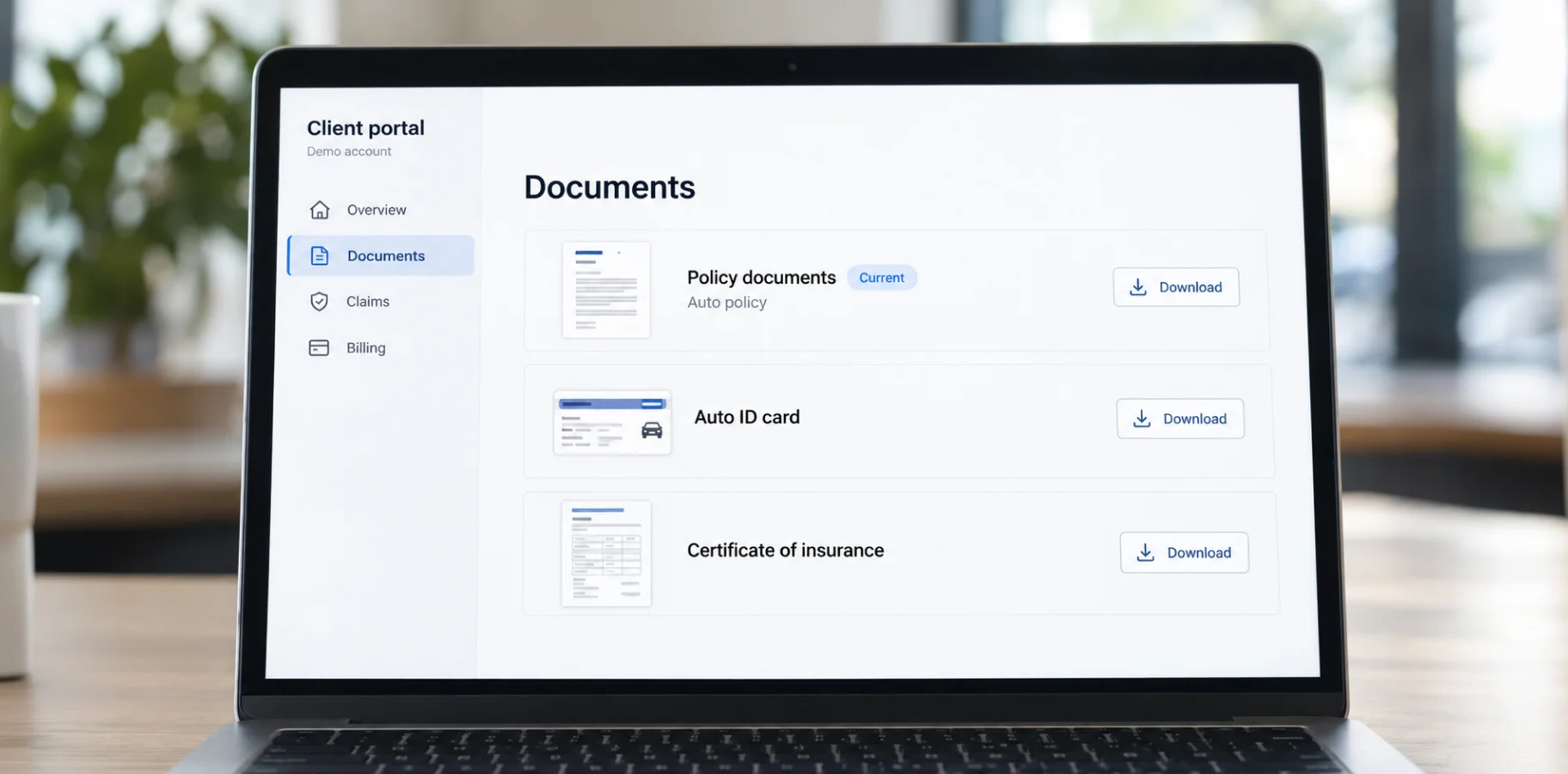
Access to policies and documents is provided through a secure insurance agent portal linked to the agency management system (AMS) and the insurers’ respective databases. The client should be able to view their documents, their status, and the most recent version within the scope of their authorized access.
It is advisable to display the insurer, the policy period, the insured item, and available documents on the policy card. Searching by name, date, and type helps organize a large archive. Current documents should be separated from previous versions, and next to a change request, it should be indicated whether it has just been received or has already been processed.
These capabilities are available in off-the-shelf products. For example, Vertafore InsurLink’s official documentation confirms the ability to view policy information, print auto insurance cards, work with insurance certificates, and upload documents. The agency determines which clients are granted access and exactly what they are permitted to view and do. This is only an example of how a ready-made solution works; your case may require custom insurance portal development.
For your own portal, we recommend verifying permissions every time a file is opened, differentiating access for corporate client representatives, and logging significant actions in a log. Separate rules are needed for document updates as well. Which system serves as the source, who is responsible for publication, and what happens in the event of a synchronization error. Define these points early, before development starts, so each feature works as intended and solves the right problem.
Electronic signatures and document delivery require a separate scenario. The ESIGN Act stipulates that a document or signature cannot be denied legal validity solely because it is in electronic form. To replace written notices to consumers required by law with electronic ones, additional conditions apply regarding consent, disclosure of information, and accessibility of records, subject to the exceptions provided by law.
Therefore, the product should track the publication, signing, and receipt of a document separately. Simply uploading a file does not, in and of itself, indicate that the entire customer service process has been completed.
Submitting claims online and tracking their status in real time
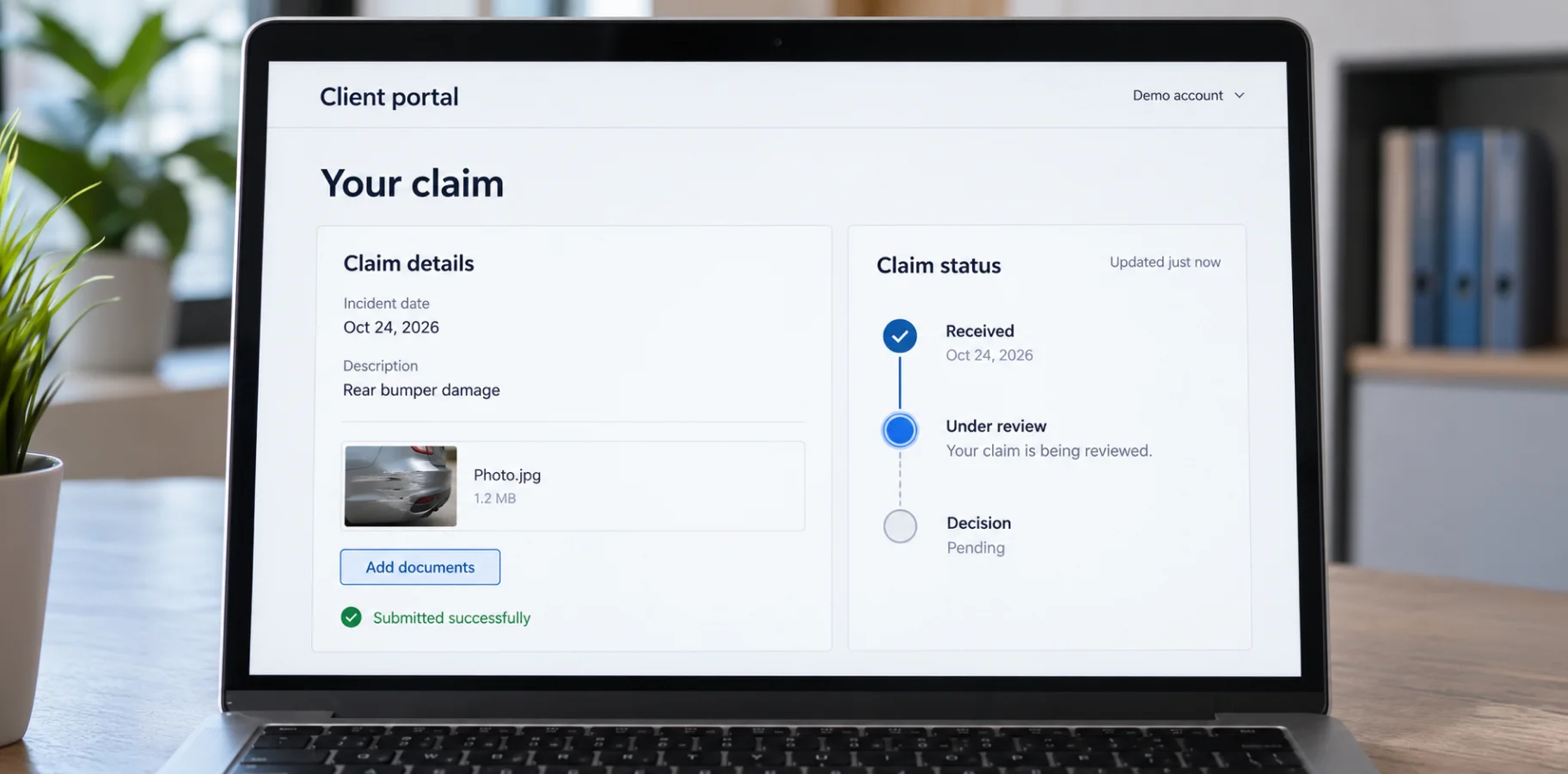
Online claims submission and tracking their status can reduce the need to call if the portal confirms receipt of the information, displays the current stage, and explains the next steps. Real-time updates are only possible if there is appropriate data exchange with the insurer.
The initial claim notification form, or FNOL, should be tailored to the type of insurance. It can collect the incident date, location, description, and required files, while letting users save a draft and double-check everything before they submit. After submission, the customer should see a confirmation and understand to whom the information has been forwarded.
The interface should clearly distinguish between the agency’s receipt of the claim, its forwarding to the insurer, and the registration of the insurance claim. For each stage, we recommend displaying the last update date, the responsible party, and a list of missing documents. If the insurer updates the data periodically, this limitation should be clearly communicated rather than promising an instant status update.
According to the J.D. Power 2025 U.S. Claims Digital Experience Study, 22% of surveyed customers used multiple channels to get an answer to a single question. The sample consisted of 5,958 customer evaluations of auto and home insurance policies that had been settled within the previous nine months. Here’s an observation from Mark Garrett, director of global insurance analytics at J.D.
“Customer satisfaction scores are highest when customers can manage the process through their insurers’ digital apps and websites.”
For insurance agencies, the practical takeaway is to test the entire customer journey after a form is submitted. Customers should be able to see what has already been done, what is expected of them, and where to turn if there is a delay. The portal should display coverage and online insurance payment decisions only from an authorized source, without making its own assumptions or automatic promises.
Automated reminders and notifications for policy renewals
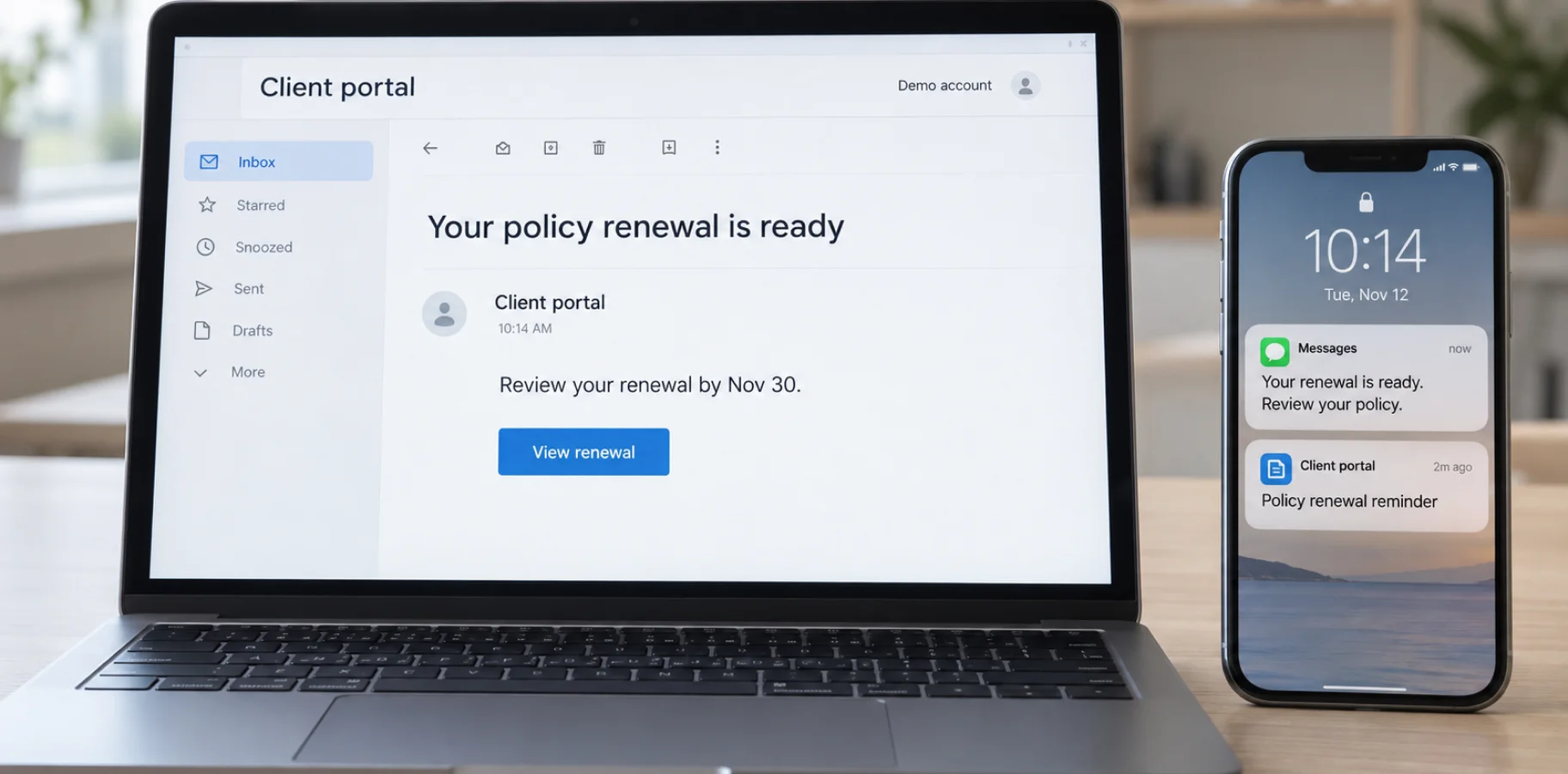
Automated policy renewal reminders can reduce the number of calls for upcoming policy expirations when they give customers a heads-up, explain what needs to be done, and take them straight to the next step. The message should explain which policy requires attention, exactly what needs to be done, and by what date.
The scenario should be built around confirmed events in AMS:
– an approaching expiration date,
– a renewal offer,
– a request for additional information,
– an unpaid invoice.
If an offer is still being prepared, the portal should display this status and the available contact method.
Once the customer takes action, the reminder should stop. If they’ve already uploaded the documents, let them know the files were received and are waiting for review. If a message doesn’t go through, create a task for the right team member so the request doesn’t get missed because of a delivery issue.
For automated SMS covered by TCPA and FCC rules, make sure you have the right consent in place and give customers a clear way to opt out. Marketing messages may have different requirements, so keep them separate from service-related reminders. The system should also track when and how consent was given, what it covers, any opt-outs, and the customer’s preferred communication channels
As of October 29, 2026, the FCC has published changes regarding consent withdrawal, which take effect on November 25, 2026. Therefore, messaging policies must be designed with the launch date and the applicable version of the requirements in mind.
It is also important to distinguish between a routine reminder and a mandatory notification required by contract or law. The portal must clearly indicate whether a renewal is merely proposed, pending the customer’s action, or has already been confirmed by the insurer. This helps avoid the false impression that the received notification automatically extended insurance coverage.
Premium payments, payment history, and online payment options
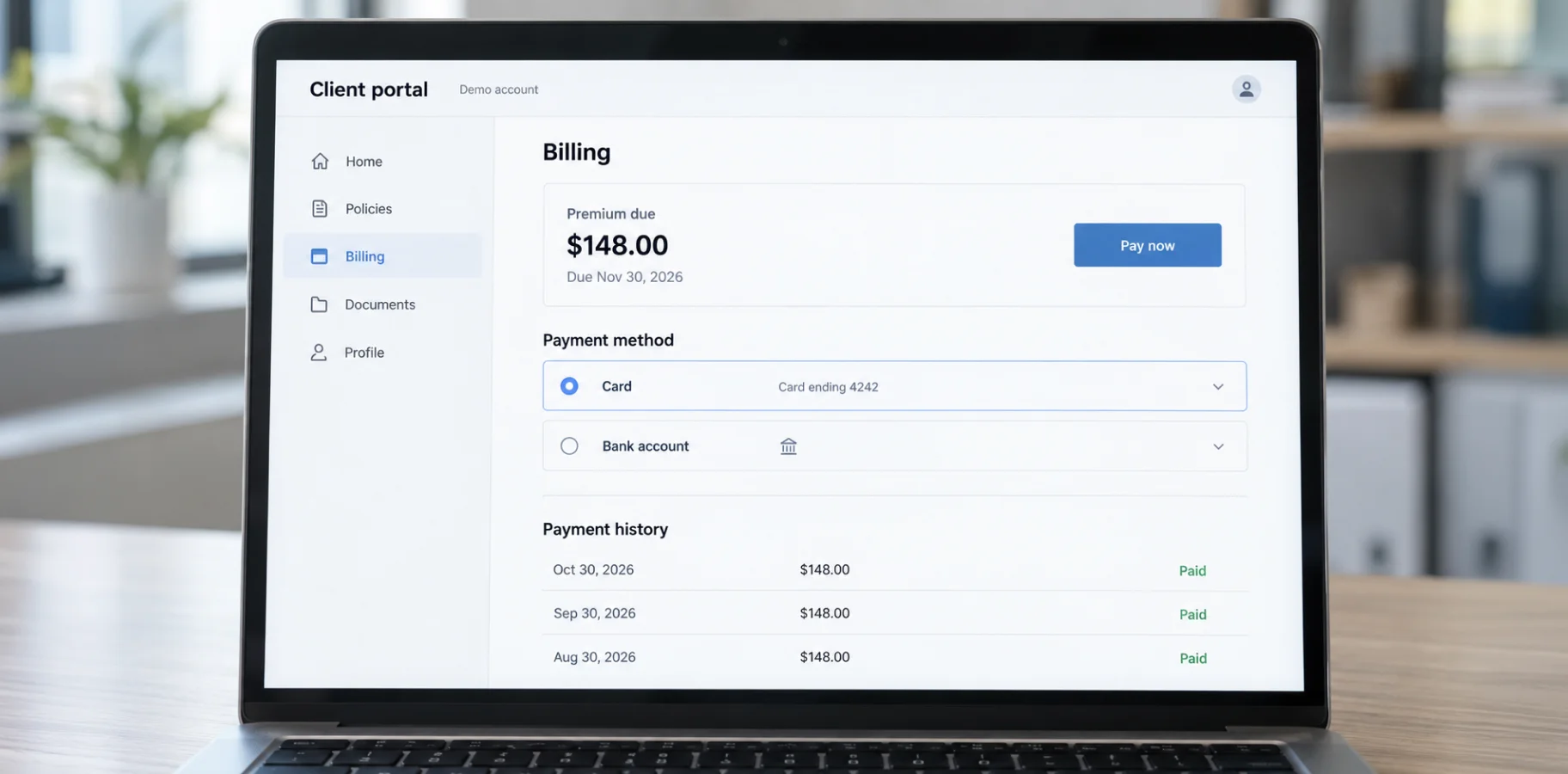
Online payments and a clear payment history can reduce inquiries regarding bills, due dates, and payment confirmations. To achieve this, the insurance client portal must display the current amount, the payee, available payment methods, and the confirmed status of each transaction.
First, you need to distinguish between payments accepted by the agency and payments made directly to the insurer. In the latter case, a redirect to the insurer’s payment page or a separate integration may be required. The customer must understand who they are paying, whether a fee applies, and where to obtain a receipt. Not all payment methods will be available for every policy.
The official Applied Pay website lists credit and debit cards, ACH, digital wallets, and integration with agency systems. This is an example of a ready-made payment component. The availability of specific features in the portal must be verified based on the configuration and current connection terms.
In the transaction history, we recommend distinguishing between a created payment, a transaction in progress, a successful payment, a refund, and a failed attempt. Clicking the “Pay” button should not automatically mark the invoice as paid. Status updates should be based on confirmation from the provider and reconciliation with the accounting system, and resending a request should not create a duplicate payment.
PCI DSS applies to card payments. The PCI Security Standards Council explains that outsourcing payment processing to a third-party provider does not eliminate all of the merchant’s responsibilities regarding the protection of payment data. You must consider the provider’s compliance, the allocation of responsibility, and the applicable compliance verification procedure.
For the user, the end result should be straightforward: a clear balance, an accessible receipt, and an explanation of the next payment. It’s also important to display the date of the last update to the financial information and contact details for discrepancies, so that a technical delay isn’t mistaken for a repeat request to make a payment.
FAQ sections and AI-powered chatbots for customer support
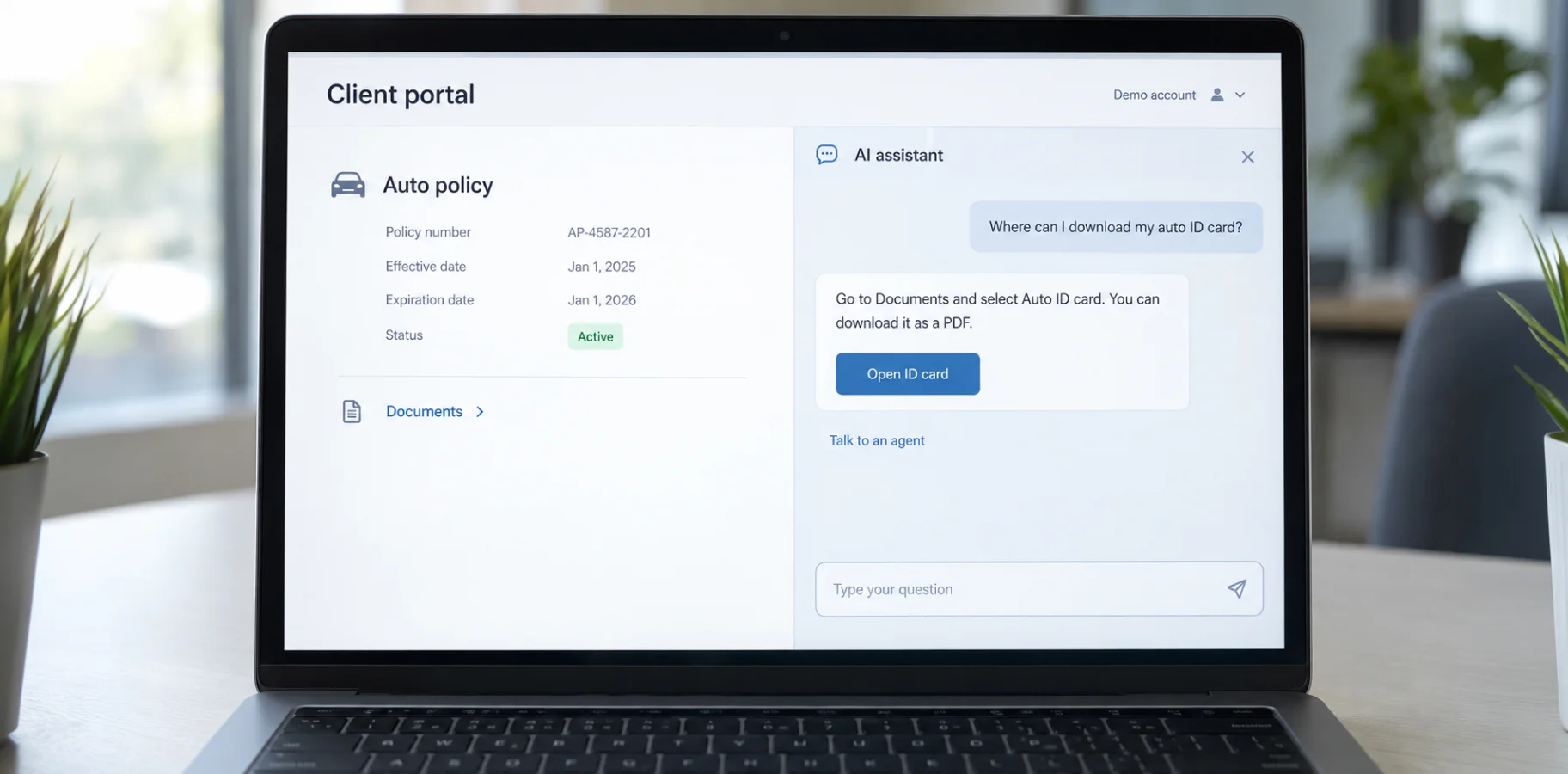
FAQs and integrated AI insurance chatbots can reduce the number of routine inquiries if they provide verified answers, help users find the feature they need, and forward complex questions to a specialist. Start with the actual reasons for inquiries recorded by the support team.
The FAQ section should explain where to find an insurance document, how to upload photos, update contact information, or verify a payment. The answer should guide users to the corresponding action in their account. Each article requires an assigned editor, a review date, and a process for updating it following changes to the product or procedures.
An AI assistant can be connected to an approved knowledge base using RAG. According to the NIST definition, such a system finds relevant information in a separate database and passes it to the model as context for the response. In an insurance agent portal, it’s also advisable to display the source and limit the search to materials available to a specific user.
That still doesn’t remove the risk of a wrong answer. NIST AI 600-1 describes the ability of generative systems to confidently present incorrect content. For questions about exclusions, disputed coverage, or claims decisions, it’s best to send the customer to an authorized specialist. Send the conversation along with the request so the customer doesn’t have to repeat everything.
Before sending personal documents to an AI provider, make sure you know what data is being shared, how long it will be stored, and who can access it. If the GDPR applies, requirements such as data minimization and appropriate security measures come into play. Whether the GDPR applies depends on the rules in Article 3, not simply on the customer’s citizenship.
Secure messaging and appointment scheduling: Reducing unnecessary phone calls
Secure messaging and online forms can significantly cut down on phone calls. Instead of dozens of daily calls, people can write agents for scheduling appointments, sending documents, and checking whether a request was received. In reality, clients need a clear status update, a designated contact person, and a realistic estimate of when they can expect a response. This adds a sense of clarity and trust to the platform and the insurance company overall.
It’s advisable to link each conversation to a policy or claim. This way, the agent can view previous messages and attachments within a single context. Automatic confirmations should be distinct from responses from a specialist: a “received” status does not mean the issue has already been addressed. Overdue inquiries require internal escalation and a backup contact person.
When a client books a consultation, the system should match them with the right agent. The choice is based on the agent’s availability, time zone, the nature of the request, and the agent’s expertise. Clients should also be able to reschedule or cancel on their own. Before the call, the portal can ask them to upload any needed documents so the agent can review everything in advance. That way, the conversation can get straight to the point.
The NAIC Insurance Data Security Model Law outlines an information security program, cyber incident investigations, and reporting to regulators. The model is implemented through state legislation; applicability, exceptions, and timeframes are determined by their current regulations.
Technical access controls should also be reviewed for representatives of companies that have terminated their cooperation or changed roles. The retention of correspondence history must be combined with managed retention periods.
How to evaluate the impact of insurance client portals on inquiry volume and customer satisfaction
To see whether the portal is actually helping, look at what types of requests are going down, how often customers can solve issues on their own, and how satisfied they are. Fewer phone calls alone don’t tell the whole story. Those calls may simply turn into more emails or unresolved requests.
Before launch, break customer requests into a few clear categories, like documents, application status, payments, policy changes, and consultations. Then track how many requests come in, how often people follow up on the same issue, and how much time your team spends resolving them. When you compare results later, keep the measurement method consistent and factor in any changes in customer or transaction volume.
Separately measure how many customers started and completed each scenario. For example, opening the documents page and downloading the required file are different events. It’s advisable to check whether a repeat inquiry for the same reason occurred after completion. The observation period must be defined in advance and applied consistently to the groups being compared.
To evaluate the experience, include a short survey after the task is completed: whether the desired result was achieved and how easy it was. Analyze the responses along with scenario drop-offs and comments. Ratings from only those who successfully completed the transaction may not reveal the issues faced by customers who left the portal earlier.
Market research is useful for providing context. For example, J.D. Power’s 2026 Digital Experience Study is based on 11,553 evaluations collected from January through March. Its results do not determine the expected reduction in inquiries for a specific agency.
To validate your own results, compare comparable customer groups and account for the renewal season, changes in the insurance portfolio, and mass insurance events. Calculate the workload separately across all channels. A positive result means less repetitive manual work while maintaining or improving service quality.
Conclusion
An insurance client portal can reduce routine calls by addressing the specific reasons for inquiries and allowing customers to confidently complete the desired action. Investment decisions should be tied to a verifiable operational problem and a metric by which the agency will evaluate the outcome.
Team training should also be part of the plan. Employees need to know what types of requests come through the portal, who is responsible for the queue, and how to assist customers during their first use. After launch, it’s important to regularly review unresolved scenarios, verify that information remains up-to-date, and refine messages that generate additional questions.
TRIARE provides services for web solution development and AI integration & automation, including connecting AI assistants to corporate knowledge bases and existing systems. For an insurance policyholder portal, we recommend starting with an analysis of recurring inquiries and data availability to determine a feasible scope of implementation.
Share the process that is currently placing the greatest burden on your team. Based on this, we can create a self-service scenario, verify technical dependencies, and agree on success criteria even before development begins.